
A 3 axis CNC router is a computer-controlled cutting, carving, and shaping system that moves a cutting tool along three linear axes: X, Y, and Z. These machines are widely used in woodworking, plastics, sign making, cabinetry, prototyping, and light metal work. They offer precise, repeatable cuts and intricate profiles that would be tedious or impossible to achieve by hand. Whether you’re a hobbyist upgrading from a handheld plunge router or a small shop expanding into automated production, a three-axis CNC router can unlock new levels of accuracy, speed, and creativity.
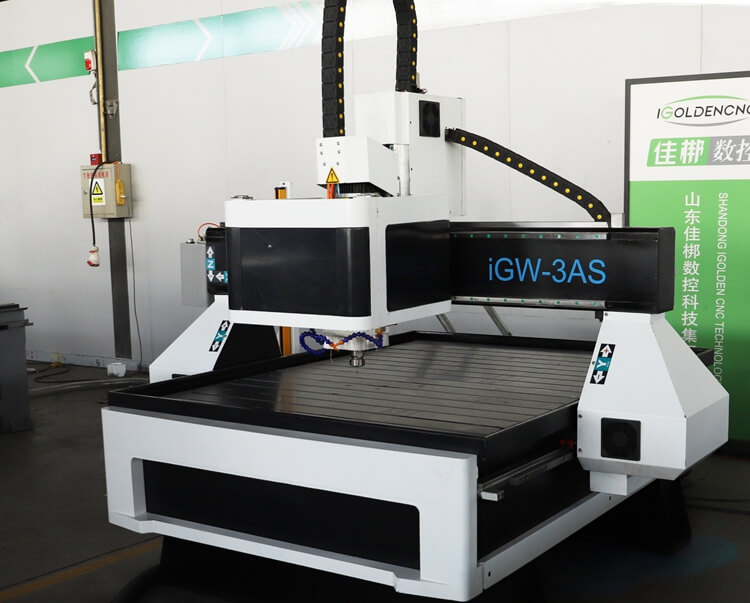
The Basics of 3 Axis CNC Routers
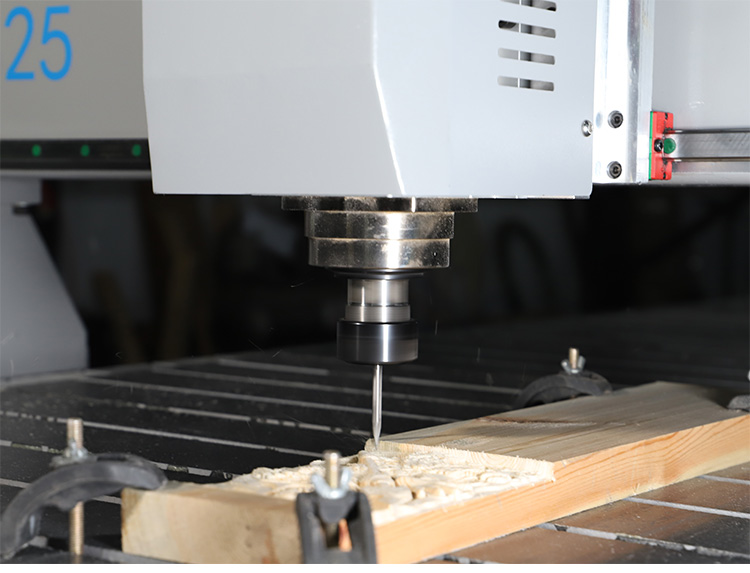
- X-Axis: The X-axis controls the movement of a cutting tool or spindle along a horizontal plane, usually from left to right or right to left. The extent of the X-axis movement is determined by the size and design of the CNC router.
- Y-Axis: The Y-axis controls the movement of the cutting tool or spindle along the vertical plane, the movement generally goes from front to back or back to front. Similar to the X-axis, the Y-axis range is determined by the specifications of the CNC router.
- Z-Axis: The Z-axis is the depth axis, it controls the up and down movement of the cutting tool or spindle, allowing for cutting or engraving at different depths. The Z-axis range influences the maximum thickness of the material that the CNC router can effectively work on.
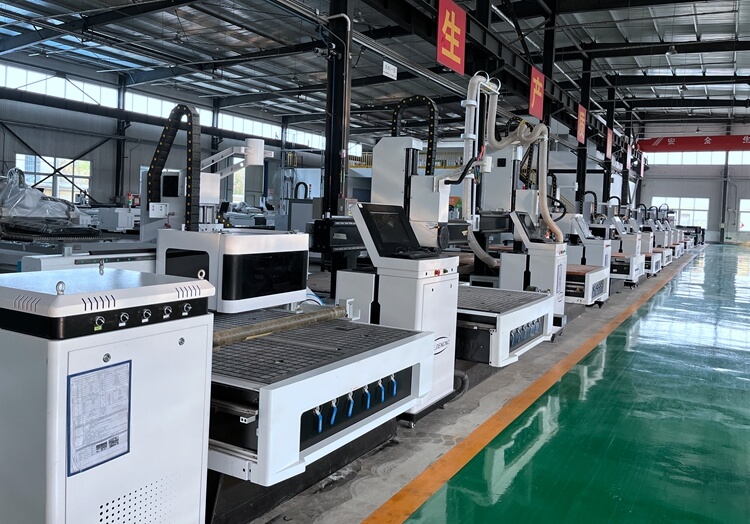
3 Axis CNC Router for Sale
3-Axis vs 2-Axis and 4-Axis: What Sets Them Apart
- 2-Axis CNC Router:
- Movements: Typically X and Y only; no Z control.
- Uses: Simple flat cuts, engraving on a single surface, or pocketing with a fixed depth.
- Limitation: No true 3D carving or through-cutting with variable depth across the surface.
- 3-Axis CNC Router:
- Movements: X, Y, and Z; capable of 3D contouring, pockets, grooves, and through-cuts with controlled depth.
- Strengths: Versatile for sign making, cabinetry parts, decorative panels, and simple 3D relief work.
- 4-Axis CNC Router:
- Adds: A rotating axis (often called A-axis) or another rotary capability to enable cylindrical or multi-face work.
- Strengths: Better for complex 3D parts, curved surfaces, and multi-side operations without repositioning the part.
- Trade-off: More complexity, higher cost, and steeper programming learning curve.
- Quick comparison table:
- 2-Axis: X and Y only; fixed or single-depth operations; simple geometry.
- 3-Axis: X, Y, Z; 3D contouring, pockets, varying depth; versatile for many parts.
- 4-Axis: X, Y, Z plus rotary axis; multi-face/turning-like operations; best for complex 3D and cylindrical parts.
Applications of 3-Axis CNC Routers
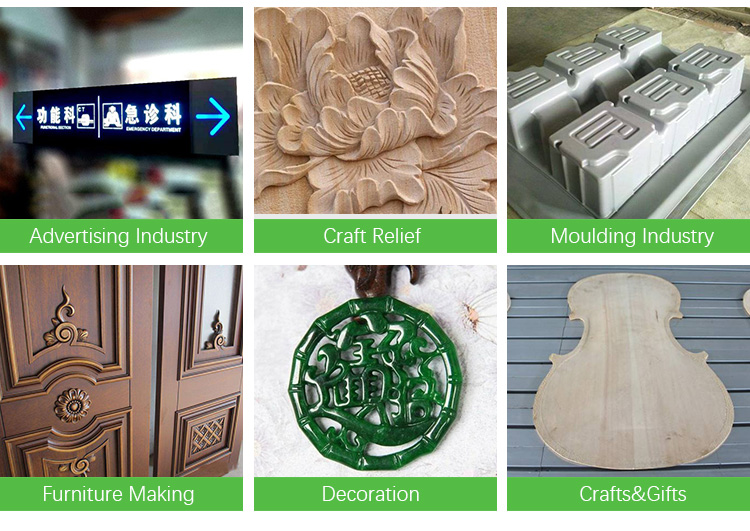
The applications of 3-axis CNC routers span a wide range of industries, showcasing their versatility and precision in material processing. These machines have become invaluable tools for manufacturers, craftsmen, and designers, offering the ability to create intricate designs and prototypes with efficiency. Here are some key applications of 3-axis CNC routers:
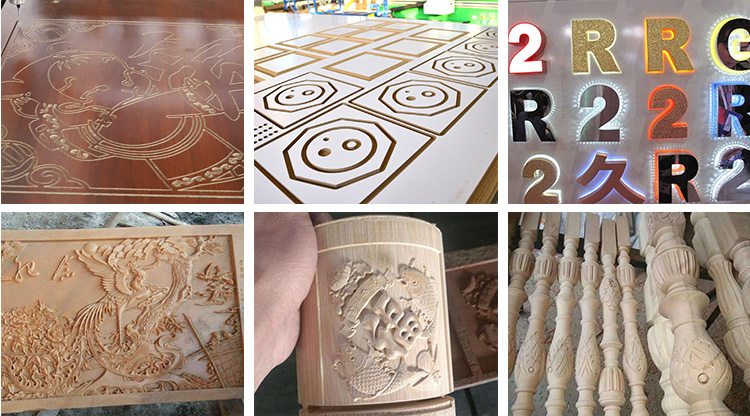
- Prototyping: Rapid prototyping is facilitated by CNC routers, allowing for the quick creation of prototypes for product development.
- Architectural Models: Architects and model makers use 3-axis CNC routers to create precise and detailed architectural models, showcasing designs in a tangible and accurate form.
- Production of Parts: Industries use CNC routers to manufacture parts and components for various applications, contributing to the efficiency and accuracy of the production process.
- Plastic Fabrication: CNC routers are employed in the fabrication of plastic components, providing a controlled and precise method for molding and shaping various plastic materials.
- Aluminum Machining: 3-axis CNC routers equipped with the appropriate tools can be used for machining aluminum components, contributing to the production of lightweight and durable parts.
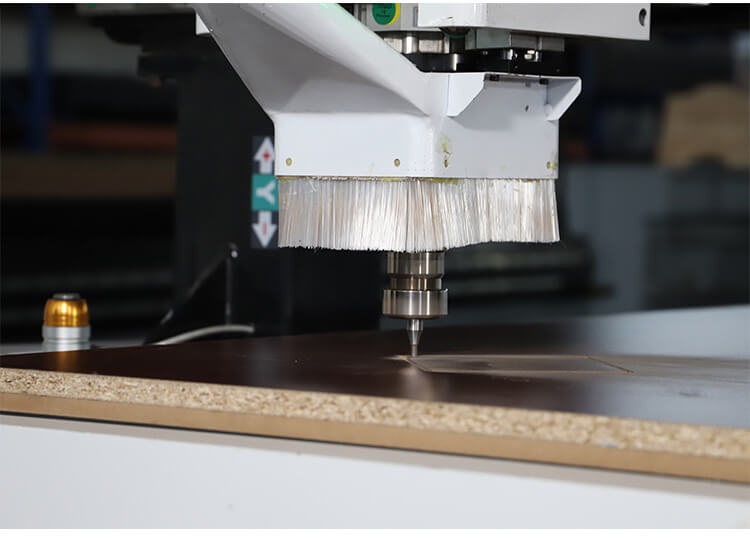
- Precision and Accuracy: 3-axis CNC routers provide precise and consistent cutting or engraving, ensuring that each product is identical to the programmed design. These machines can achieve tight tolerances, making them suitable for tasks that require high precision.
- Versatility: 3-axis CNC routers can handle a variety of materials, including wood, plastic, metal, and composites. This makes them versatile for different industries such as woodworking, sign-making, prototyping, and more.
- Automation: The CNC control system automates the cutting process, reducing the need for manual labor and minimizing the chances of errors. This can result in increased productivity and cost-effectiveness for large-scale production.
- User-Friendly Programming: Integration with Computer-Aided Design (CAD) and Computer-Aided Manufacturing (CAM) software streamlines the programming process, making it more accessible to users with varying levels of expertise.
- Efficiency: CNC routers can operate continuously, allowing for efficient and uninterrupted production. They can operate continuously, 24/7 if needed, increasing productivity and reducing downtime.
- Complex Design Capability: The machines’ ability to follow complex toolpaths allows for the creation of intricate designs and fine detailing that may be challenging or impossible with traditional methods.
- Repeatability: Once a design is programmed, a 3-axis CNC router can reproduce the same design accurately and consistently, ensuring quality across multiple pieces. This is particularly beneficial for batch production or creating identical components.
- Reduced Material Waste: CNC routers optimize material usage by precisely cutting and shaping, minimizing waste, and contributing to cost-effectiveness.
- Multi-Tool Capabilities (Optional): Some advanced models come equipped with automatic tool changers, allowing the use of multiple tools without manual intervention, enhancing efficiency and reducing downtime.
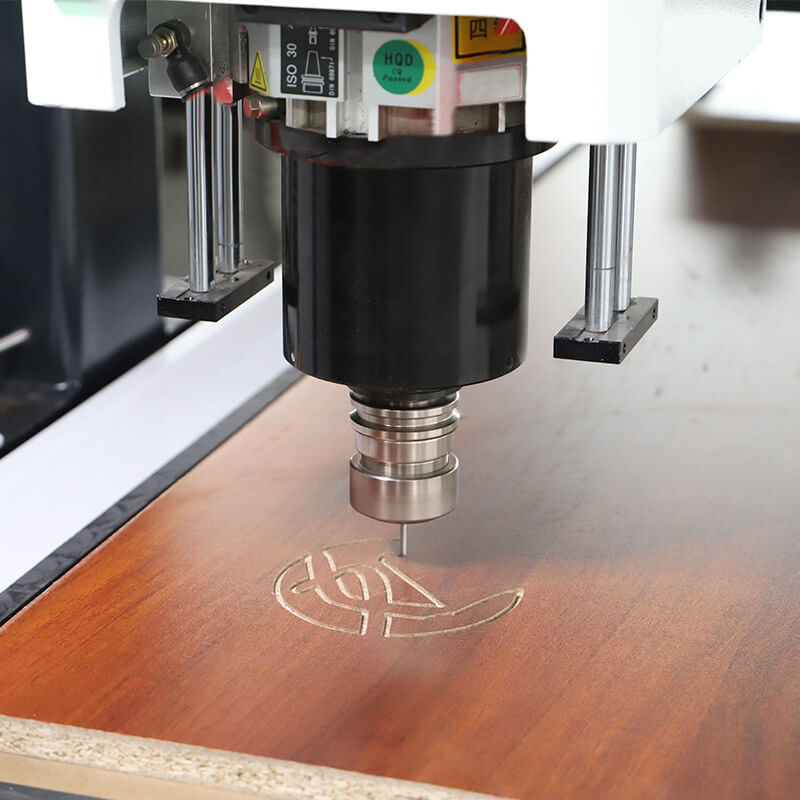
A 3-axis CNC router offers several advantages in terms of precision, versatility, and efficiency in various applications. Despite some limitations, 3-axis CNC routers remain valuable tools for a wide range of applications, especially in woodworking, plastic machining, and other industries where complex geometries are not a primary concern. For more intricate and complex parts, higher-axis CNC routers may be preferred.
What should you pay attention to when choosing a 3-axis CNC router?
After you understand the 3-axis CNC router through the above information, you can already make plans on whether to purchase this machine. Below we’ll go over the various factors you need to consider when choosing the right 3-axis CNC router to ensure the machine meets your specific needs and requirements. Here are key aspects to pay attention to when selecting a 3-axis CNC router:
- Machine Size: Consider the physical size of the CNC router, including the working area (X, Y, and Z axes). Ensure that it accommodates the size of the parts you intend to produce.
- Material Compatibility: Verify that the CNC router is suitable for the materials you plan to machine. Different machines are designed for various materials such as wood, plastics, metals, or composites.
- Spindle Power and Speed: The spindle is a critical component. Pay attention to its power (measured in horsepower or kilowatts) and speed (measured in revolutions per minute – RPM). The spindle should match the materials and cutting tools you intend to use.
- Accuracy and Precision: Check the machine’s accuracy and repeatability specifications. High precision helps achieve tight tolerances and produce precise parts.
- Drive System: The drive system, whether it’s a ball screw or rack and pinion, plays a role in the machine’s precision and speed. Choose a system that meets your requirements for accuracy and efficiency.
- Control System and Software: Evaluate the CNC controller and software. Ensure that it is user-friendly, supports the file formats you work with, and has the necessary features for your applications.
- Ease of Use and Programming: Consider the ease of use in terms of machine setup, tool changes, and programming. A user-friendly interface and straightforward programming can save time and reduce errors.
- Dust Collection System: If you’re working with materials that produce a significant amount of dust, choosing a good dust collection system can help keep your work environment clean and safe.
- Tool Changer Capability: If you plan to work on projects that require multiple tools, a tool changer can significantly improve efficiency by automating tool changes during the machining process.
- Rigidity and Construction: The sturdy and well-made machine maintains stability throughout the cutting operation. This contributes to the overall accuracy and quality of the machined parts.
- Availability of Support and Training: Understand the after-sales service items that CNC router manufacturers can provide. Reliable technical support is invaluable, especially when you encounter machine trouble and need help.
- Cost and Budget: Determine your budget and compare it with the features offered by different CNC routers. Consider the long-term value and return on investment (ROI) when making your decision.
- Reviews and Recommendations: Look for customer reviews and seek recommendations from others in your industry. Learning from the experiences of other users can provide valuable insights into the performance and reliability of a particular CNC router.
By carefully considering these factors, you can choose a 3-axis CNC router that aligns with your specific machining needs and business requirements.
The Future of Your Workshop
Investing in a 3-axis CNC router represents more than acquiring a tool—it’s embracing a new way of working that combines traditional craftsmanship with digital precision. Whether you’re producing custom furniture, creating signage, or manufacturing parts, these machines offer capabilities that can transform your business.
The learning curve is real, but the rewards—in precision, efficiency, and creative freedom—make it worthwhile. As you grow comfortable with the technology, you’ll discover applications you never imagined, pushing your craft in exciting new directions.
Ready to explore how a 3-axis CNC router can elevate your work? iGoldenCNC is here to help you find the perfect machine for your needs and support you every step of the way.
IGOLDEN BLOG
Thank you for visiting the iGOLDENCNC website. iGOLDENCNC is the professional supplier of CNC machinery application solution, within the business of producing and selling CNC machinery and accessories.